
Path to function: Management > API keys
On this page, create and manage keys to use with the OpenAthens REST API, including the API connector for local authentication and add-on options such as Fetching statistics reports via the API.
Permissions
An API key has one of three permission levels, enabling or restricting what it can do:
Authentication API
-
CAN: use with the API connector
-
CANNOT: create or manage OpenAthens accounts
-
CANNOT: access reports API
Reports API
This appears only if the function is enabled for your organisation (talk to your account manager in the first instance)
-
CAN: use with the reports API
-
CANNOT: create or manage OpenAthens accounts or any other function
-
CANNOT: use with the API connector
Full access
-
CAN: access all available API functions
-
CAN: access the reports API if it is enabled for your organisation
Other permission levels may be added in future.
Create a new key
-
(Optional.) To create a key for a specific sub-organisation, switch into the sub-organisation before you begin.
-
Go to Management > API keys. This page displays a list of current keys.
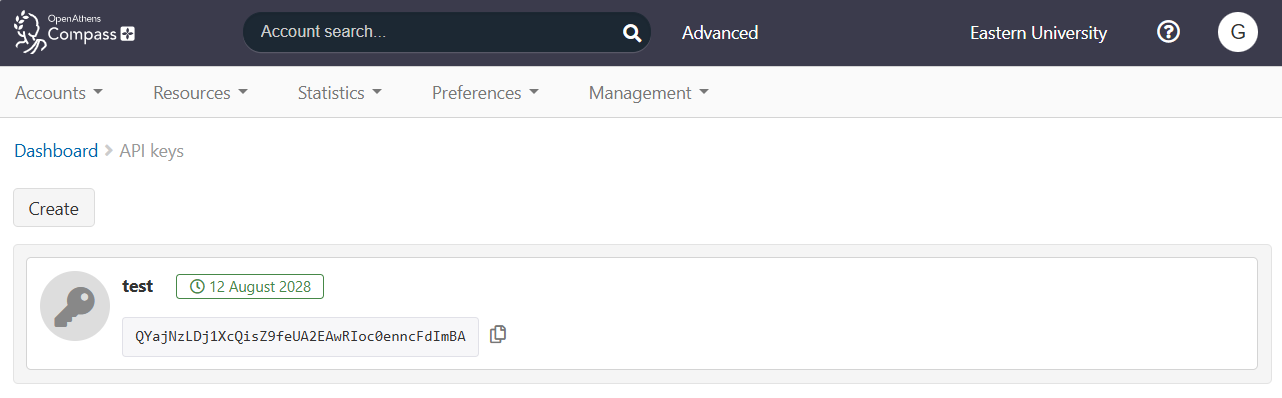
-
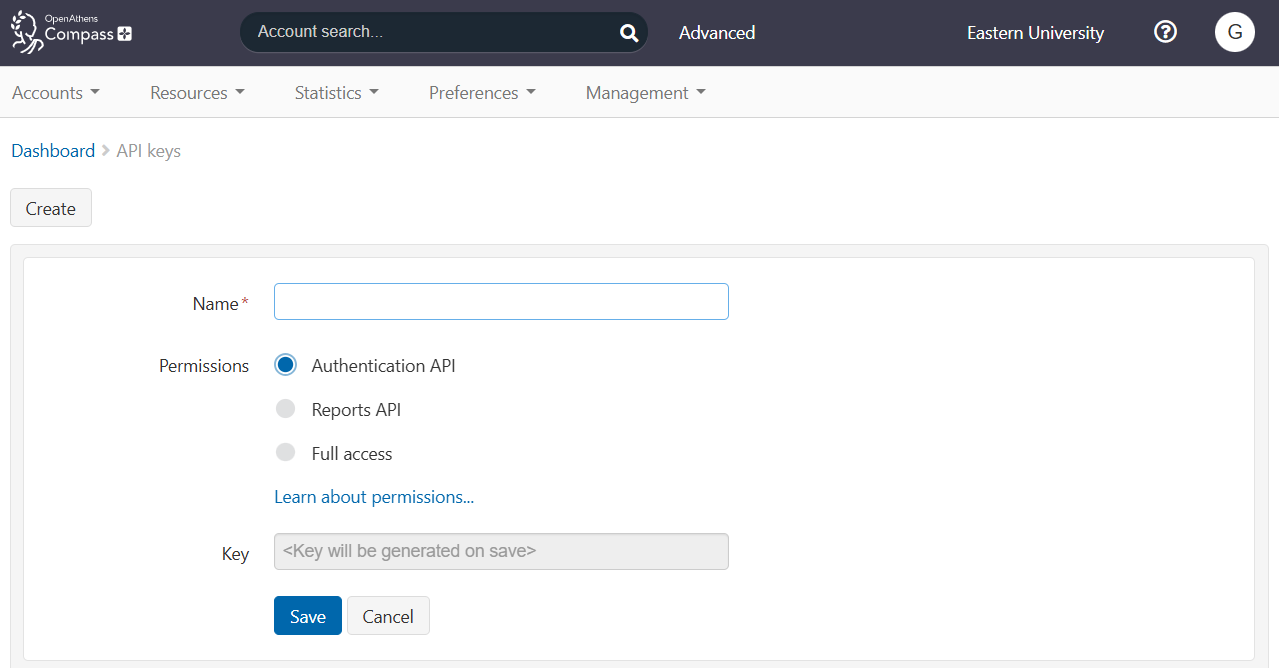
Press Create. The page loads a form for creating a new key
-
In the Name field, give the key a name that describes its purpose.
-
Select the appropriate permission level for the key: Authentication API, Reports API or Full access.
-
Press Save.
The new key is generated and displayed in the list. The list shows the name of the key, the value of the key, and the date on which the key expires.
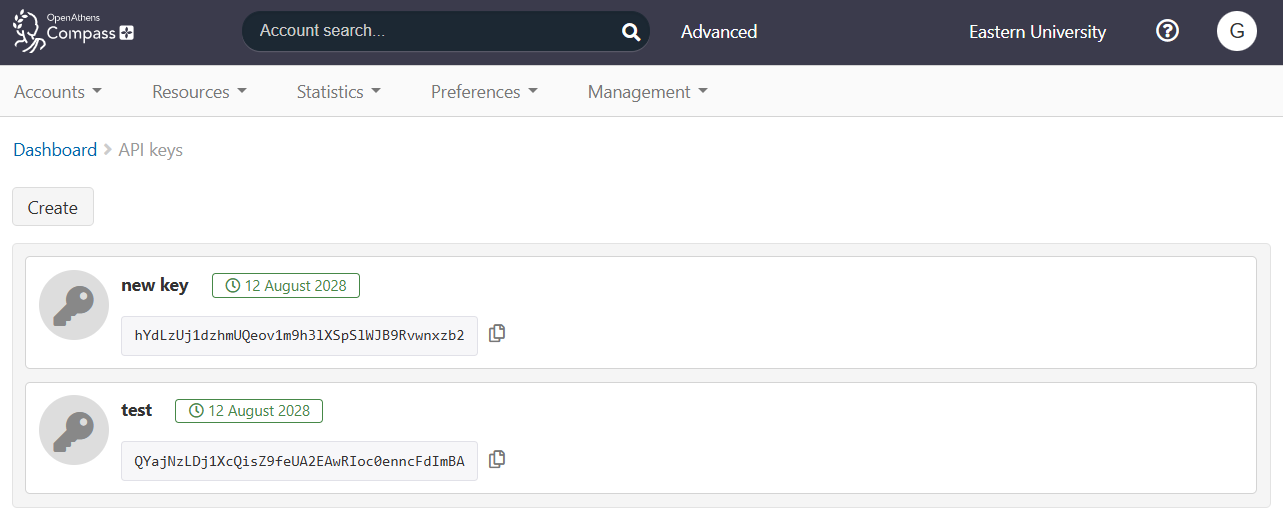
To copy the value of the key, press 
Edit a key
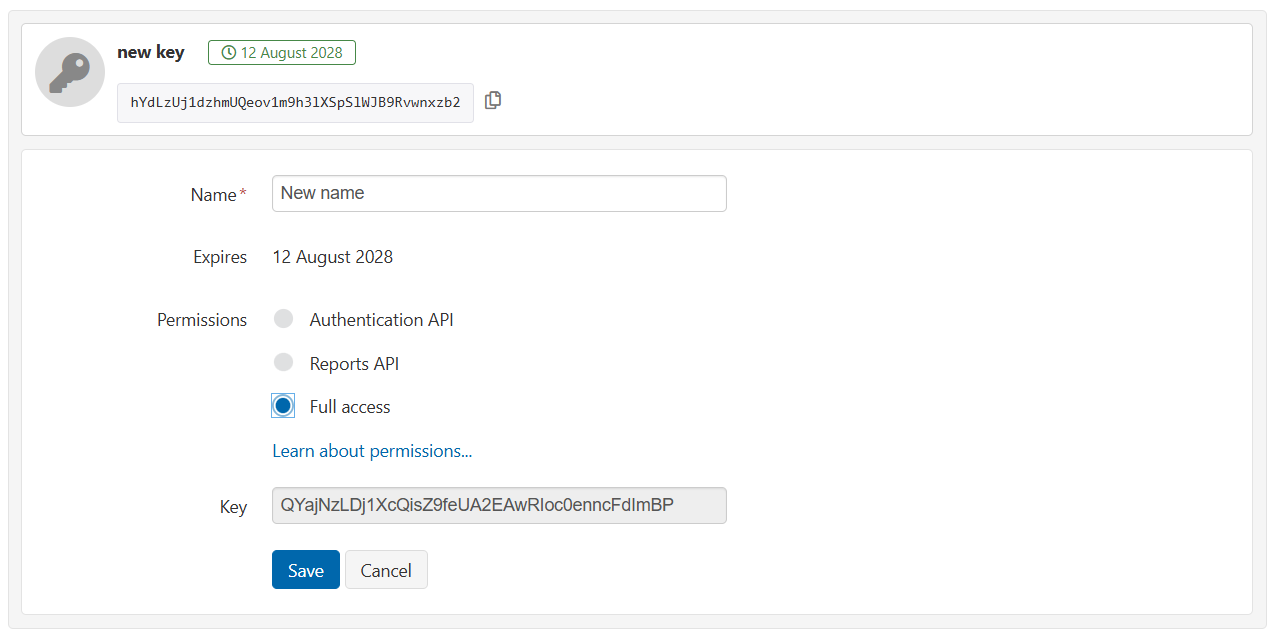
You can change the name or permission level of an existing key. You cannot edit the key’s value or expiry date.
-
Go to Management > API keys.
-
In the list, hover over the key you want to edit. Edit and Remove buttons appear.

-
Press Edit.
-
Change the name and/or permissions of the key.
-
Press Save.
Delete a key
-
Go to Management > API keys.
-
In the list, hover over the key you want to edit. Edit and Remove buttons appear.
-
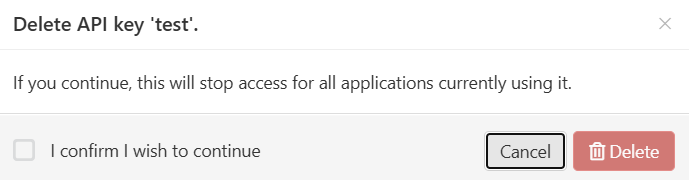
Press Remove. A dialog opens, asking you to confirm the action.
-
Tick I confirm I wish to continue and press Delete.
Expiring keys
Each key has an automatically generated expiry date, which is displayed in the list of your current keys. On that date, the key will stop working.

Before a key expires, you should generate a replacement key and arrange with your technical team to update relevant code in your API client.
OpenAthens sends a notification email 30 days before a key is due to expire, and continues to send regular notifications up to the expiry date. These emails are sent to all administrators of the organisation or sub-organisation to which the key belongs.
Anything to watch out for?
When a key expires or is removed, any application still using that key will receive API errors stating that its credentials are invalid. The application will not be able to interact with OpenAthens until it is updated with an active key.