
You do not need to do anything in OpenAthens to support this, including allocating the catalogue resource, as the Third Iron support team take care of everything at their end. All you have to do is to email your redirector prefix to support@thirdiron.com, asking them to update your authentication to OpenAthens.
To look up your redirector prefix: access the administration area as an administrator and navigate to the redirector link generator (Resources > Redirector link generator).
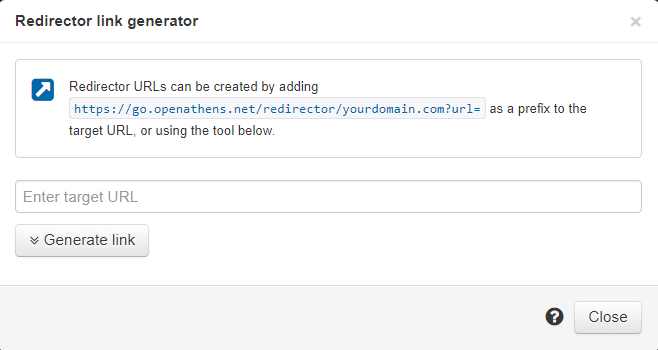
The part you are interested in is the bit like this: https://go.openathens.net/redirector/yourdomain.com?url=