
The attribute eduPersonAssurance is an indicator of trust. It tells service providers (SPs) that your organisation’s identity provider (IdP) complies with a recognised standard for data quality and operations.
eduPersonAssurance lets service providers know:
-
Which compliance framework you follow. The REFEDS Assurance Framework (.pdf) is the most common standard
-
(Optional.) If you comply with specific criteria within that framework. While there will be a baseline level of compliance for the whole organisation, you might enforce different criteria for different groups of users (for example, stricter data control standards for faculty than for alumni)
See also About eduPerson attributes.
Do I need to use eduPersonAssurance?
If you don’t already use eduPersonAssurance, that might be because it was less useful in the past. Previously, eduPersonAssurance wasn’t a standard attribute. There was an assortment of possible compliance criteria and, accordingly, eduPersonAssurance lacked a consistent meaning to give it value for service providers.
Since the REFEDS Assurance Framework became the standard for compliance, that situation has changed. eduPersonAssurance is now a consistent marker of quality and service providers are more likely to request it. From 2026, some SPs plan to make eduPersonAssurance a required attribute. If you do business with those providers, you need to use eduPersonAssurance. You can also expect more SPs to require it in the future.
Set up eduPersonAssurance
It is possible for your IT department to configure eduPersonAssurance in your local user directory. However, most organisations prefer to create it as a custom attribute in OpenAthens.
Where to apply the attribute
You can create eduPersonAssurance as an organisation-level attribute and/or as a permission set-level attribute. The appropriate setup depends on your operation and how you organise your users.
I’m just an IdP
If your organisation operates an IdP only, create the attribute at organisation level. If you guarantee the same compliance for all users, you don't need to do anything else.
If you don't guarantee the same compliance for all users, first create eduPersonAssurance at organisation level and give it a default value. Then configure additional instances at permission set level, with more specific criteria to define compliance for different user groups.
I’m an IdP and an SP
If you are both an IdP and a service provider, create eduPersonAssurance at permission set level only. This avoids potential issues with applying the attribute across the whole organisation.
Create the attribute
-
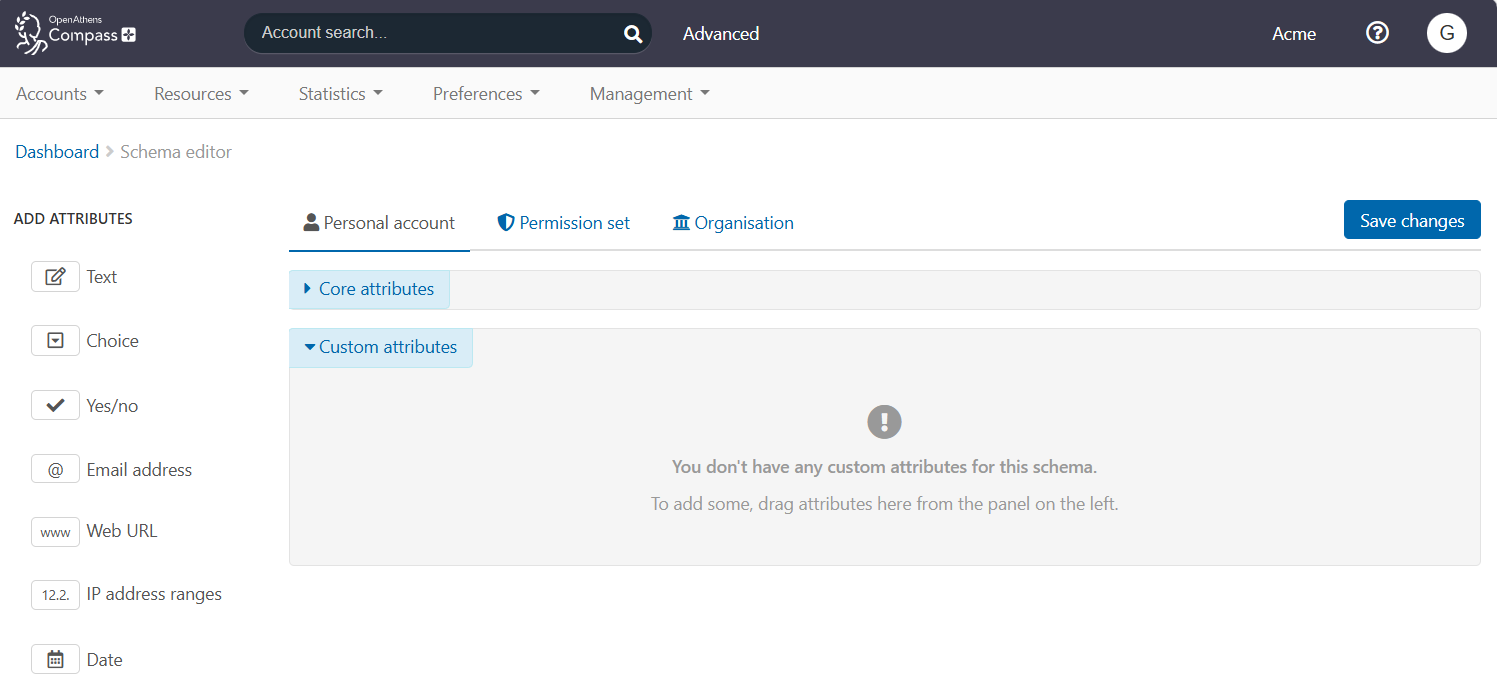
Go to Preferences > Schema editor.
-
If your organisation is an IdP only, go to the Organisation tab. If you are both an IdP and a service provider, go to the Permission set tab. (The following steps, which show the Organisation tab, are identical for Permission set.)
-
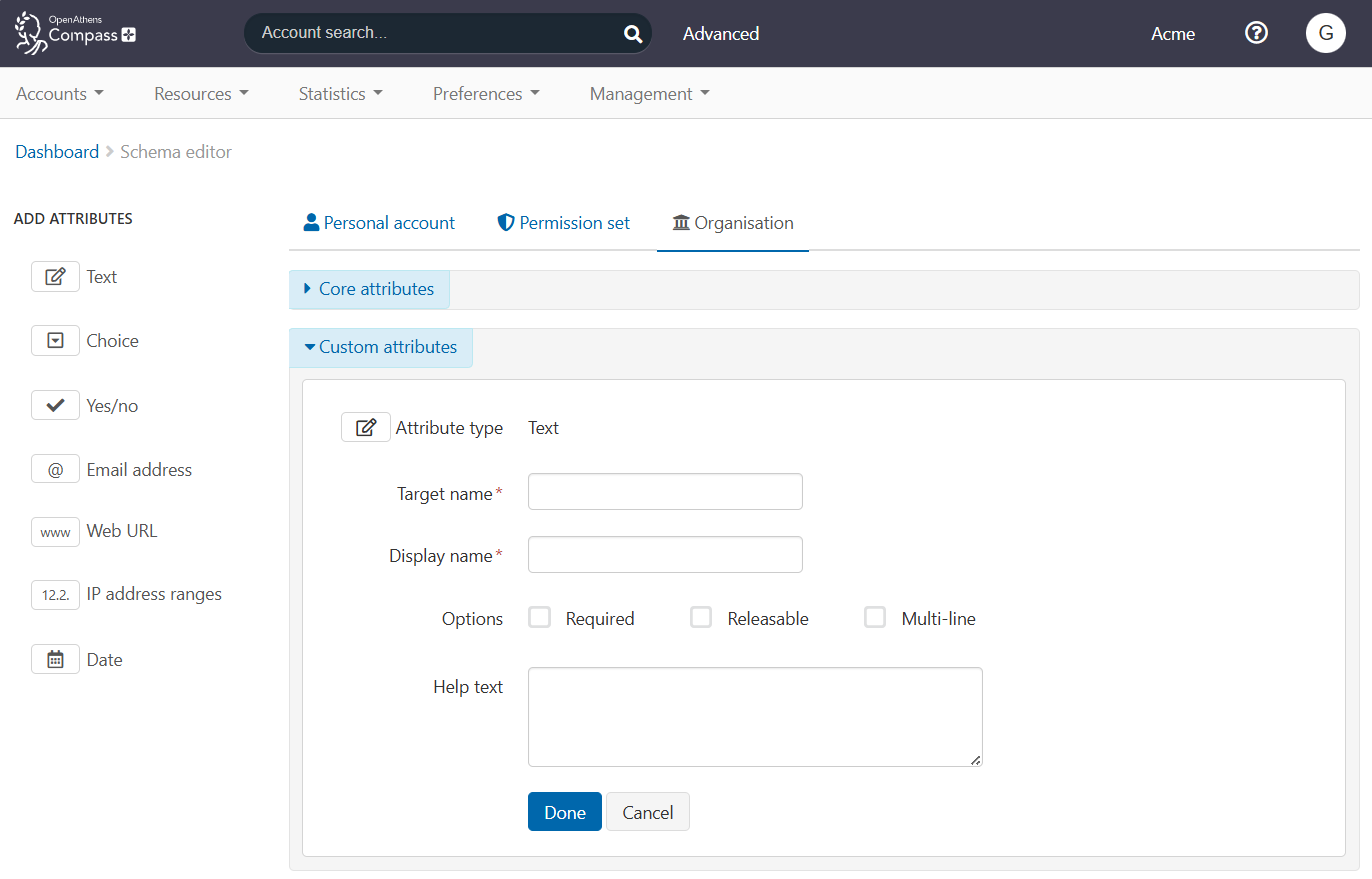
From the left sidebar, select the Text attribute type and drag it into the Custom attributes space. You now have a blank attribute template.
-
In Target name, enter the formal ID of the eduPersonAssurance attribute, which is 'urn:oid:1.3.6.1.4.1.5923.1.1.1.11'. (See About eduPerson attributes.)
-
In Display name, enter a friendly name for the attribute, such as ‘eduPersonAssurance’.
-
Tick Releasable to enable this attribute to be released to service providers.
-
Also tick Multi-line, since eduPersonAssurance can pass multiple values.
-
(Optional.) In the Help text field, enter a brief explanation of the attribute and how to use it.
-
Press Done to submit the new attribute.
-
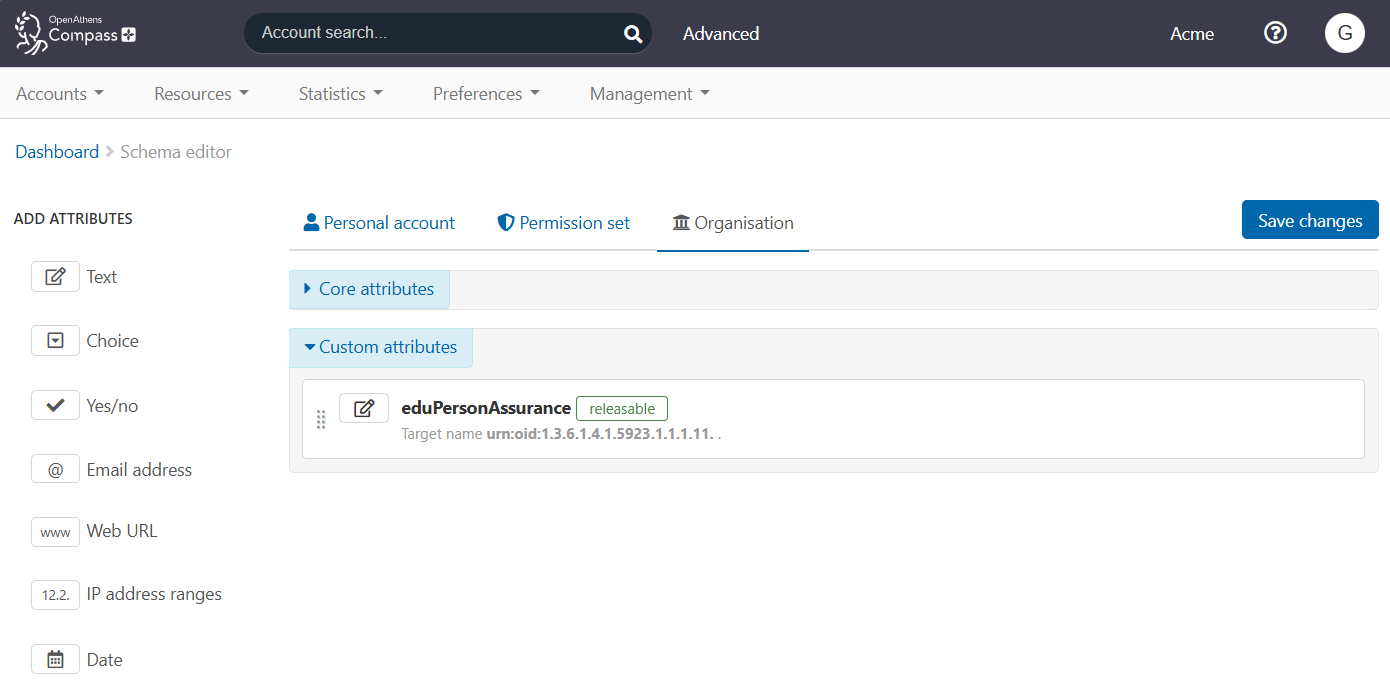
You now see eduPersonAssurance in the list of custom attributes.
-
Press Save changes to finish.
-
If you created eduPersonAssurance at organisation level but also need to define different levels of compliance for different user groups, go to the Permission set tab. Repeat steps 3-11 to add eduPersonAssurance at permission set level. (Creating an attribute at permission set level makes it available to all permission sets.)
Configure values for eduPersonAssurance
eduPersonAssurance can pass multiple values. At minimum, it must pass a value identifying the compliance framework to which you belong. This value is in the form of a URL. For the REFEDs Assurance Framework, it is https://refeds.org/assurance.
If you want, you can pass additional values that assert compliance with specific criteria. Examples are:
-
https://refeds.org/assurance/ID/unique: asserts that your IdP uniquely identifies individual users
-
https://refeds.org/assurance/IAP/low, https://refeds.org/assurance/IAP/medium and https://refeds.org/assurance/IAP/high: identify the strictness of your identity proofing as ‘low’, ‘medium’ or ‘high’, according to a defined set of criteria
If your IdP doesn’t enforce the same level of compliance for all users, you can pass these more specific values at permission set level to define compliance for different user groups.
For full details of the REFEDS values, see the REFEDS Assurance Framework specification (.pdf). If your organisation belongs to a different compliance framework, see the documentation for that framework.
Enter values for eduPersonAssurance
-
To configure eduPersonAssurance at organisation level, go to Preferences > Organisation > Details tab. To configure eduPersonAssurance for a permission set, go to Resources > Permission sets > [select a permission set] > Attributes tab.
You find a new input field called eduPersonAssurance.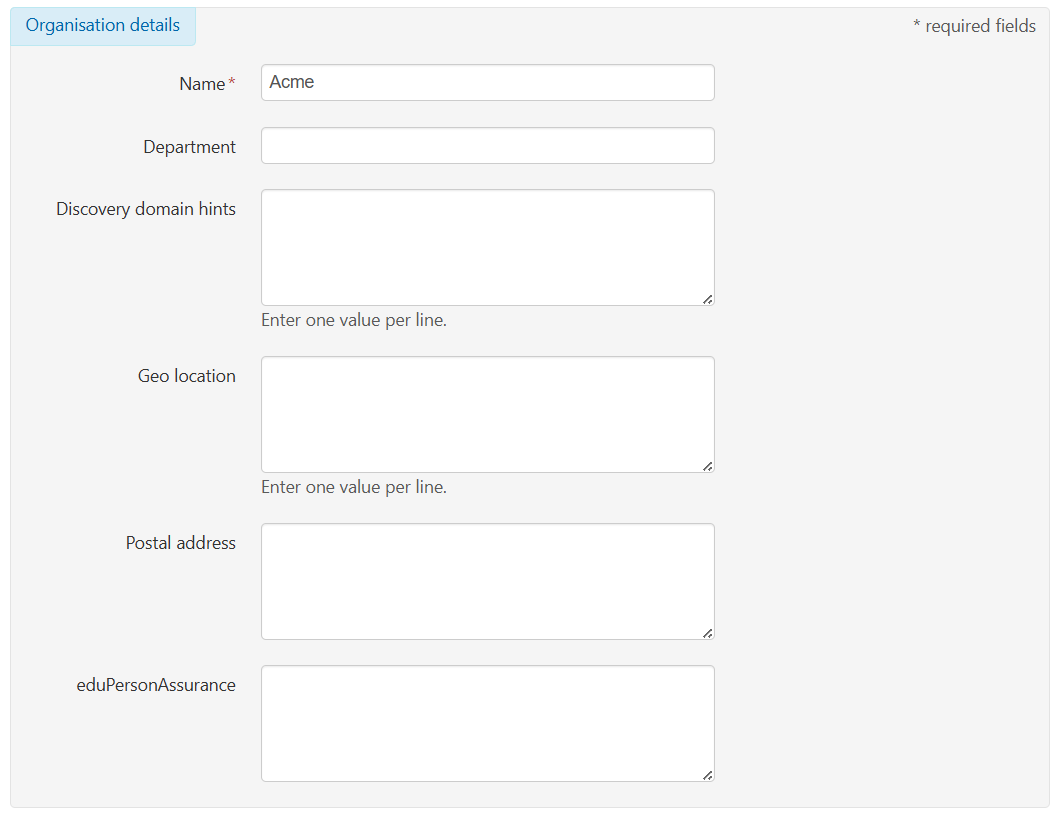
eduPersonAssurance field in Preferences > Organisation
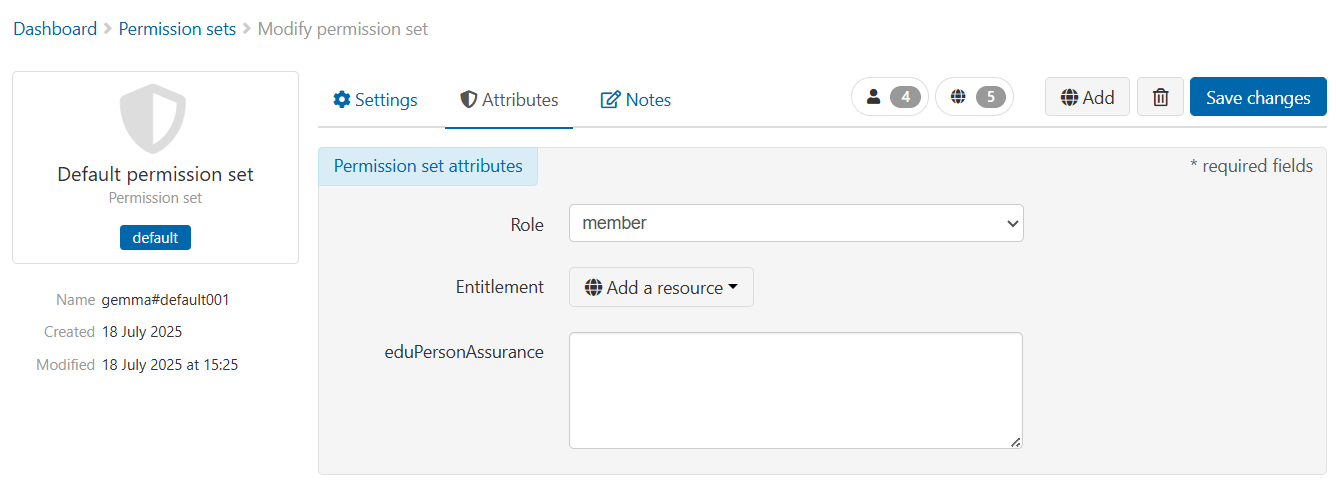
eduPersonAssurance field in Resources > Permission sets
-
In the eduPersonAssurance field, enter the mandatory default value for REFEDS, ‘https://refeds.org/assurance’. (If your organisation belongs to a different compliance framework, enter the equivalent value for that framework.)
-
(Optional.) Enter additional values by typing each one on a new line.
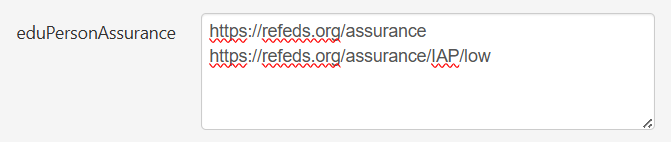
-
Press Save changes.