
If you no longer need an application, you can delete it. Deleting an application cannot be undone.
When an application is deleted, historical data relating to the application is retained in statistics reports and the activity log. However, access to this data is restricted. Only users with the Owner role can see data for deleted applications.
There are two ways to delete an application:
From the list
-
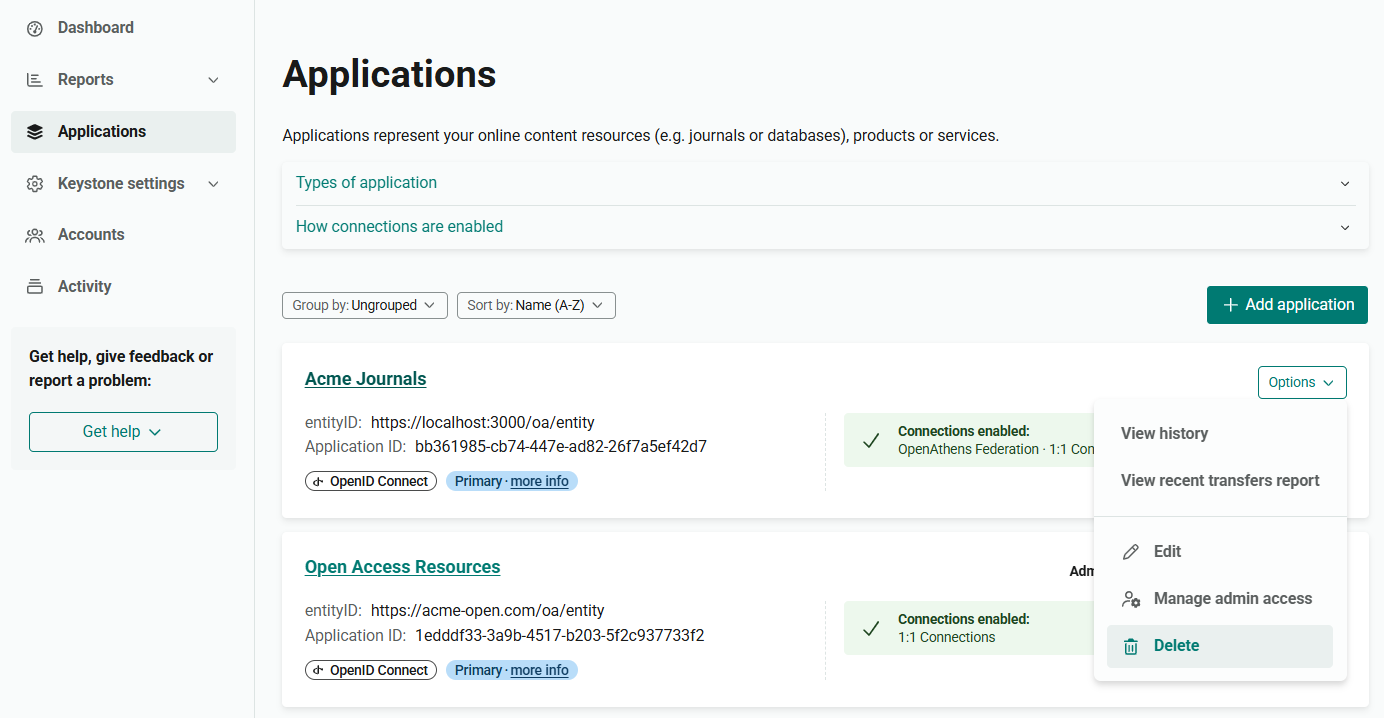
In the Applications list, find the application you want to delete.
-
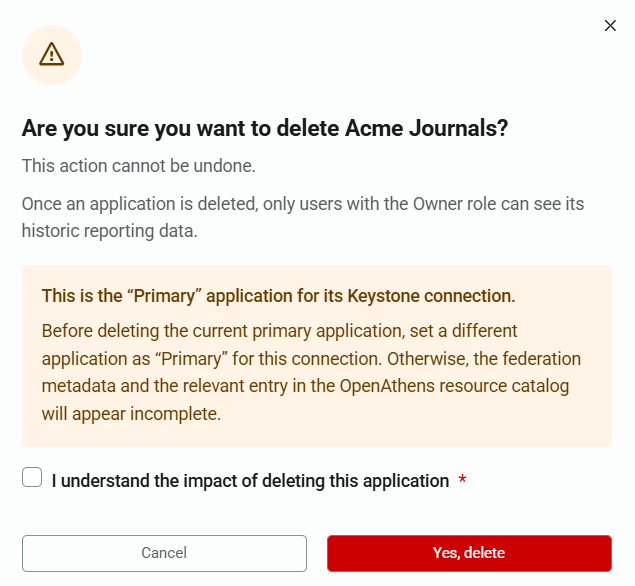
If the application is marked as the Primary one for its Keystone connection, we recommend setting another application as primary before you delete.
-
Click on the Options menu at the far right of the screen.
-
From the menu, select Delete.
-
A pop-up dialog appears, asking you to confirm the action. To proceed, tick I understand the impact of deleting this application and press Yes, delete.
From the application details
-
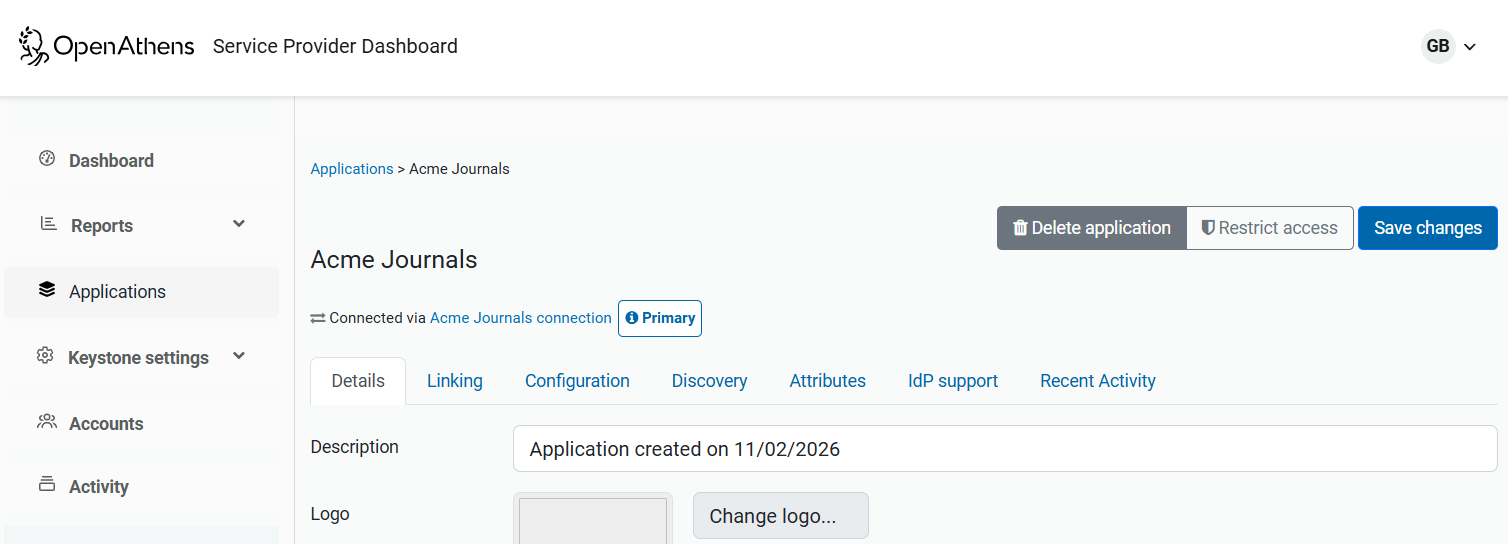
From Applications, open the application you want to delete.
-
Press the Delete application button.
-
As before, a pop-up dialog asks you to confirm the action. To proceed, tick I understand the impact of deleting this application and press Yes, delete.