What is Wayfinder? It's a universal organization discovery service. An organization discovery service is used in a federation situation when a person needs to tell a service where to send them to sign in.
In the early days of federated access management, the service being accessed had little choice but to create their own discovery service. As you can imagine, these could vary in style and execution - some were a list of subscribing organizations, some were searchable (better UX) and some expected the user to know the name of the federation their home organization was in (not better UX). Each worked... but each worked differently.
Some federations provided a central discovery service for their federation, which helped, but this was only of practical use for services that were only in that one federation, and the popular services were in several federations - some in more than 40 national federations - so there was still lots of diversity (but not the good kind).
What was needed was a discovery service that covered multiple federations - i.e. some kind of universal discovery service... like Wayfinder.
What does Wayfinder mean for an end user?
For the end user, Wayfinder provides a consistent discovery experience over all the resources that use it, often in their own language. Depending on settings it can even remember the users' home organization across services. There's more on this on the OpenAthens Wayfinder UX page.
Languages
The six official languages of the UN are covered (Arabic, Chinese, English, French, Russian and Spanish), and we add more as they become available. At the time of writing the following are also available: Bulgarian, Dutch, German, Italian, Polish, Portuguese, and Tagalog (Philippines). It will default to English if it doesn't have anything to match the locale of the browser; additions and corrections are welcomed.
What does Wayfinder mean for a service (e.g. publisher)?
For services, Wayfinder provides an organization discovery process that works for as many SAML federations as the service provider is a member of. There is no need to maintain your own discovery service and no need to present potentially confusing choices to the end user. Wayfinder automatically filters for only the organizations that are in the same federation(s) as the referring service provider and has the potential to be even more discerning. Learn more in Enabling OpenAthens Wayfinder.
How much does it cost?
The hosted Wayfinder is free for anyone to use whether or not you are a member of the OpenAthens federation and we have no plans to monetize it. It's in all our interests to promote the use of federated access management and a more consistent sign-in user experience between providers. It encourages the end users to use federated services more, including yours. If you are in multiple federations, or expect to be, it is a practical and economical choice.
What does it look like?
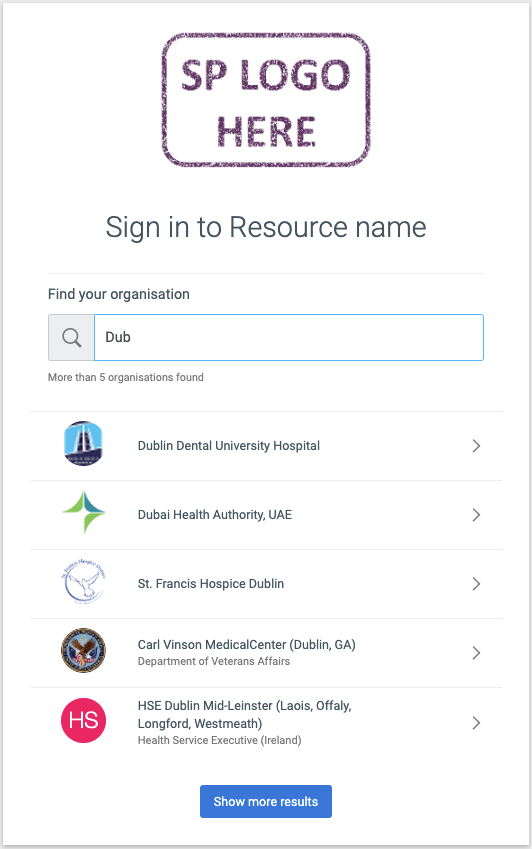
Searching for a home organization
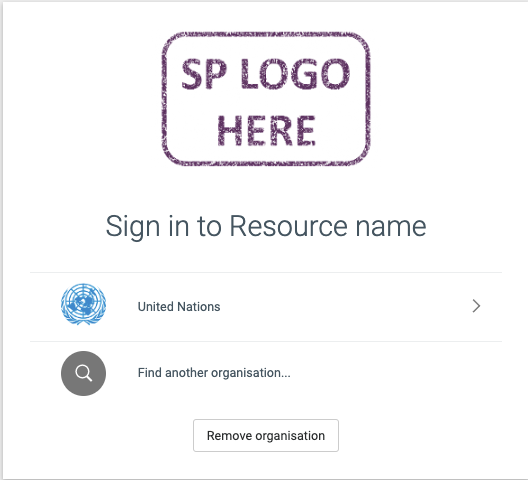
Selecting a remembered home organization